Tutorial: How to Recover Deal Funds If Tetrapolar Goes Offline (BTC Edition)
If Tetrapolar vanishes tomorrow, your deal funds don't vanish with it: using nothing but your seed phrase and a backup file, you and your counterparty can independently reconstruct the multisig wallet in any supported wallet and sign the payout without us ever coming back online.


This tutorial covers how to recover access to a Bitcoin deal wallet outside of Tetrapolar, in the event that the company goes offline or becomes unreachable.
You will need two things: your own recovery phrase (the 12–24 words you set up during account creation), and the wallet backup file that you can generate from inside the deal.
For this walkthrough, we use Nunchuk, an open-source, non-custodial, collaborative multisig Bitcoin wallet. Nunchuk supports hardware keys, software keys, multi-user signing, coin control, and advanced multisig — and requires no account or KYC to use.
Note: This process applies only to BTC-based deals.
Prerequisites
- You are a participant in an active or funded BTC-based deal on Tetrapolar.
- You have safely stored your recovery phrase (seed words) per this tutorial.
Step 1: Export the wallet backup from the deal
As soon as the deal wallet is created, go to the deal in question. In the Deal Overview section, a Backup Wallet button will appear.
Click it, and the backup file will be saved to your machine.
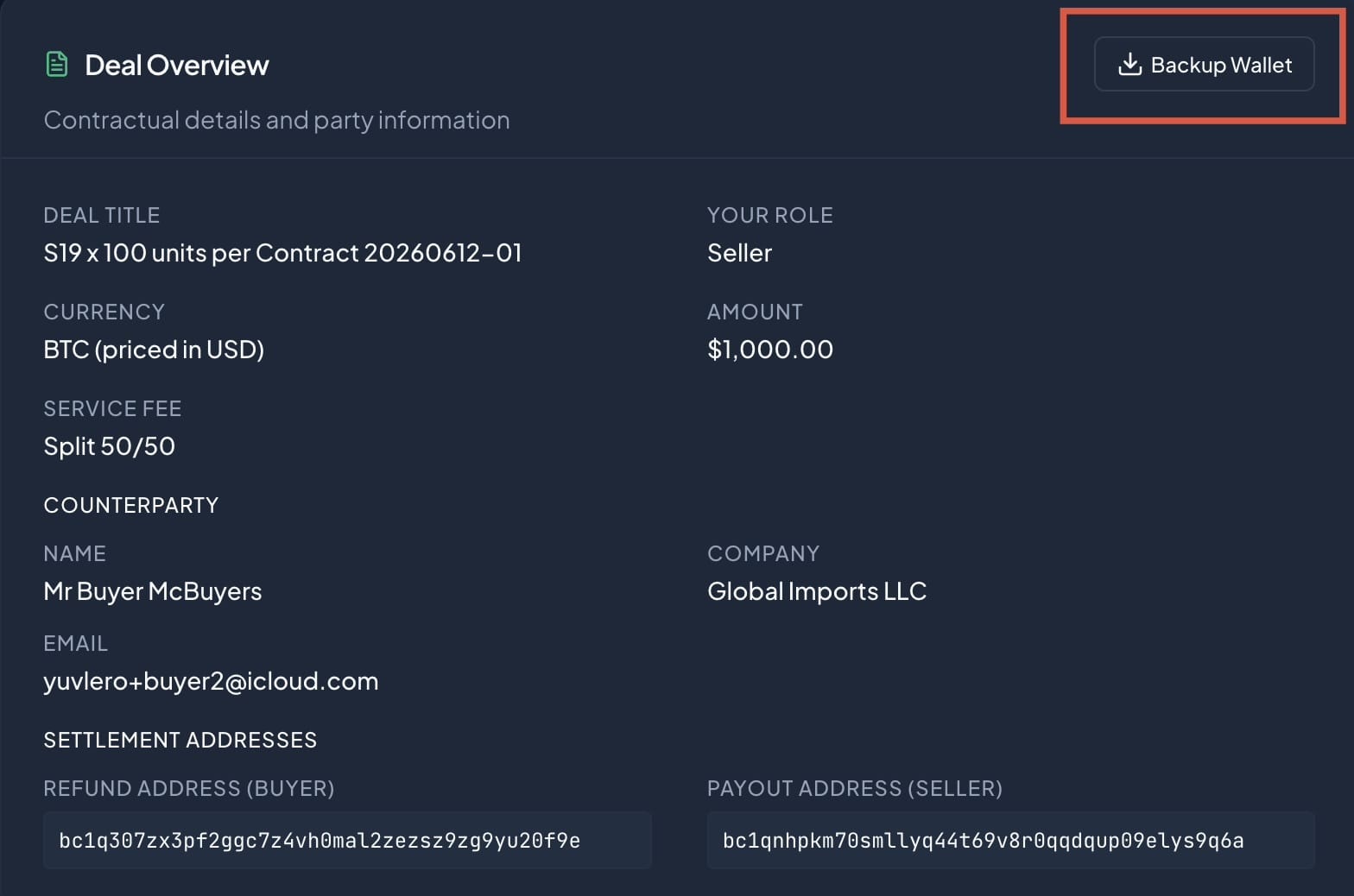
Do this for every deal you create or join. The backup file contains the multisig wallet configuration (descriptor) needed to reconstruct the wallet in any external app that supports it. Without it, you will need to coordinate with your counterparty to rebuild the exact multisig setup, which is possible but significantly harder.
Step 2: Open Nunchuk
Download and open Nunchuk on your device (iOS or Android).
You do not have to create an account — you may continue as a Guest.
Step 3: Add a new software key
Tap the + button and choose Add Key → Software Key.
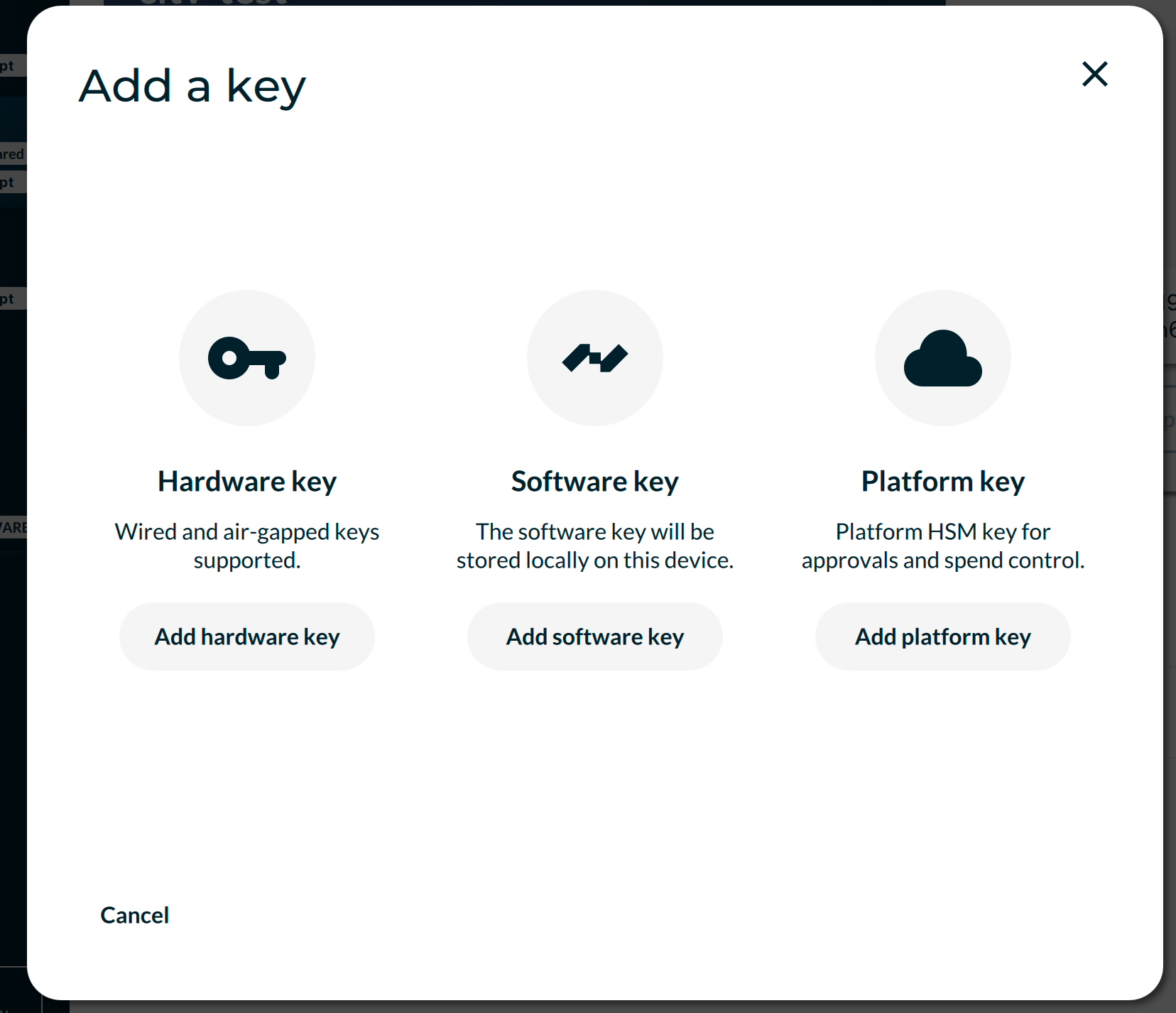
Step 4: Choose "Recover existing seed"
Select Recover existing seed.
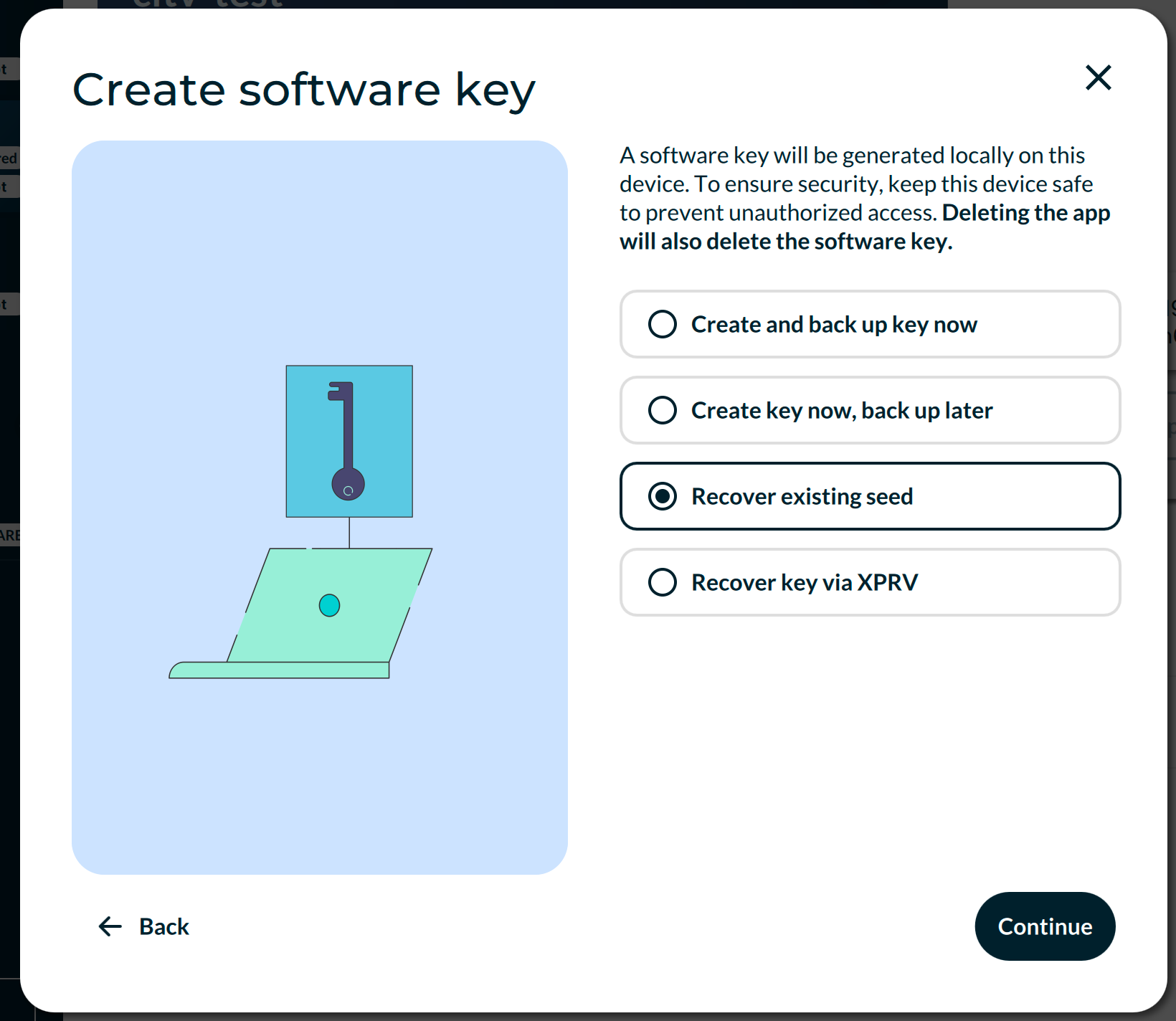
Step 5: Enter your recovery phrase
Type in your 12 or 24 word recovery phrase — the exact same seed you use inside your Tetrapolar account.
Tap Continue.
Step 6: Skip the additional passphrase
When prompted to set an additional passphrase, ignore it and tap "I don't need a passphrase".
Adding a passphrase here would generate a completely different key, and your signatures wouldn't match the keys registered in the deal.
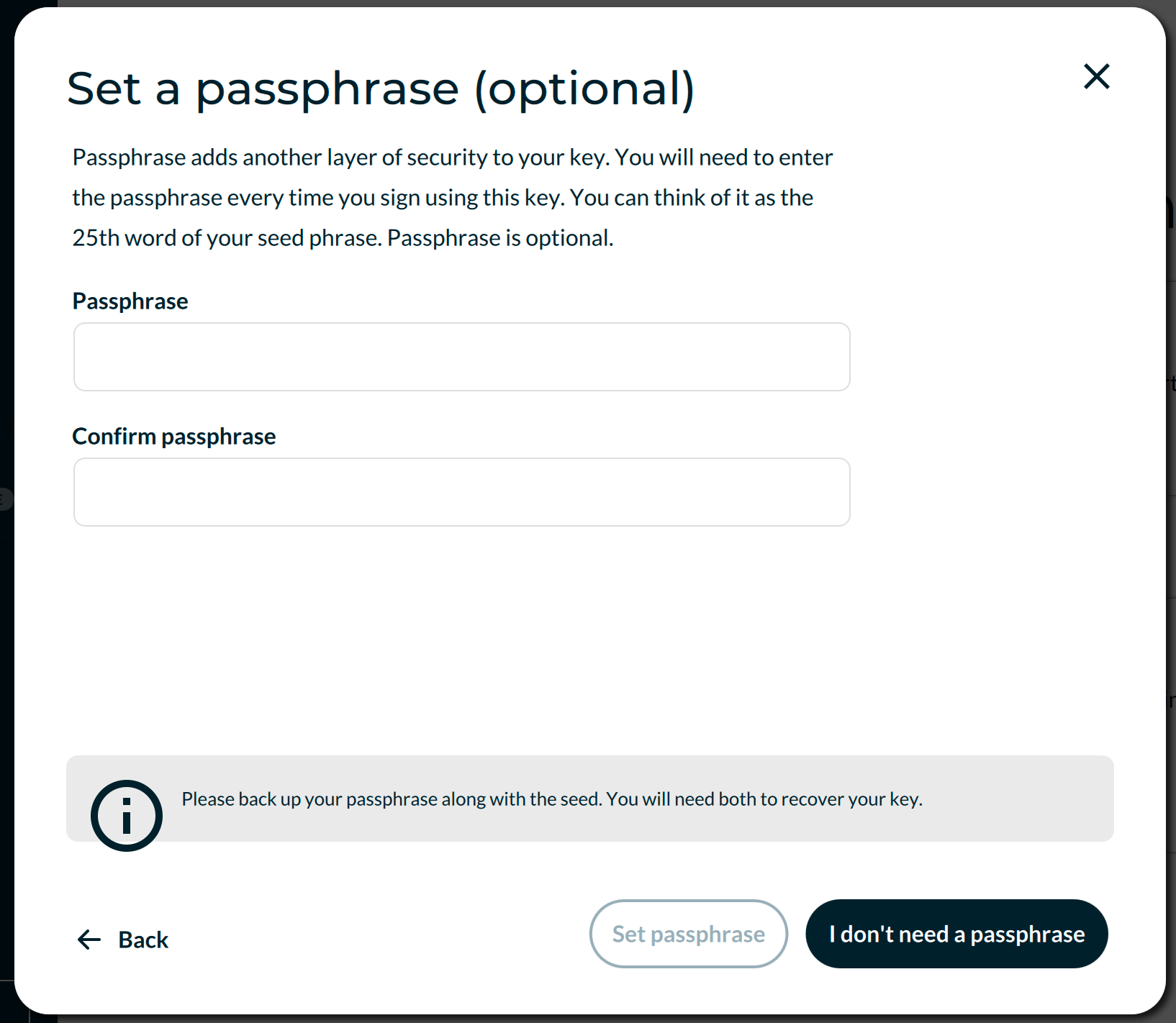
Step 7: Name your key
Give your key a name (e.g. "Tetrapolar Key") and proceed.
Step 8: Verify the key fingerprint
Your key has been created. This is a critical verification step.
In Nunchuk, open the key and look at its Key Spec (also called key fingerprint). Compare this to the Key Fingerprint shown in your Tetrapolar account under Settings → Wallet Keys.
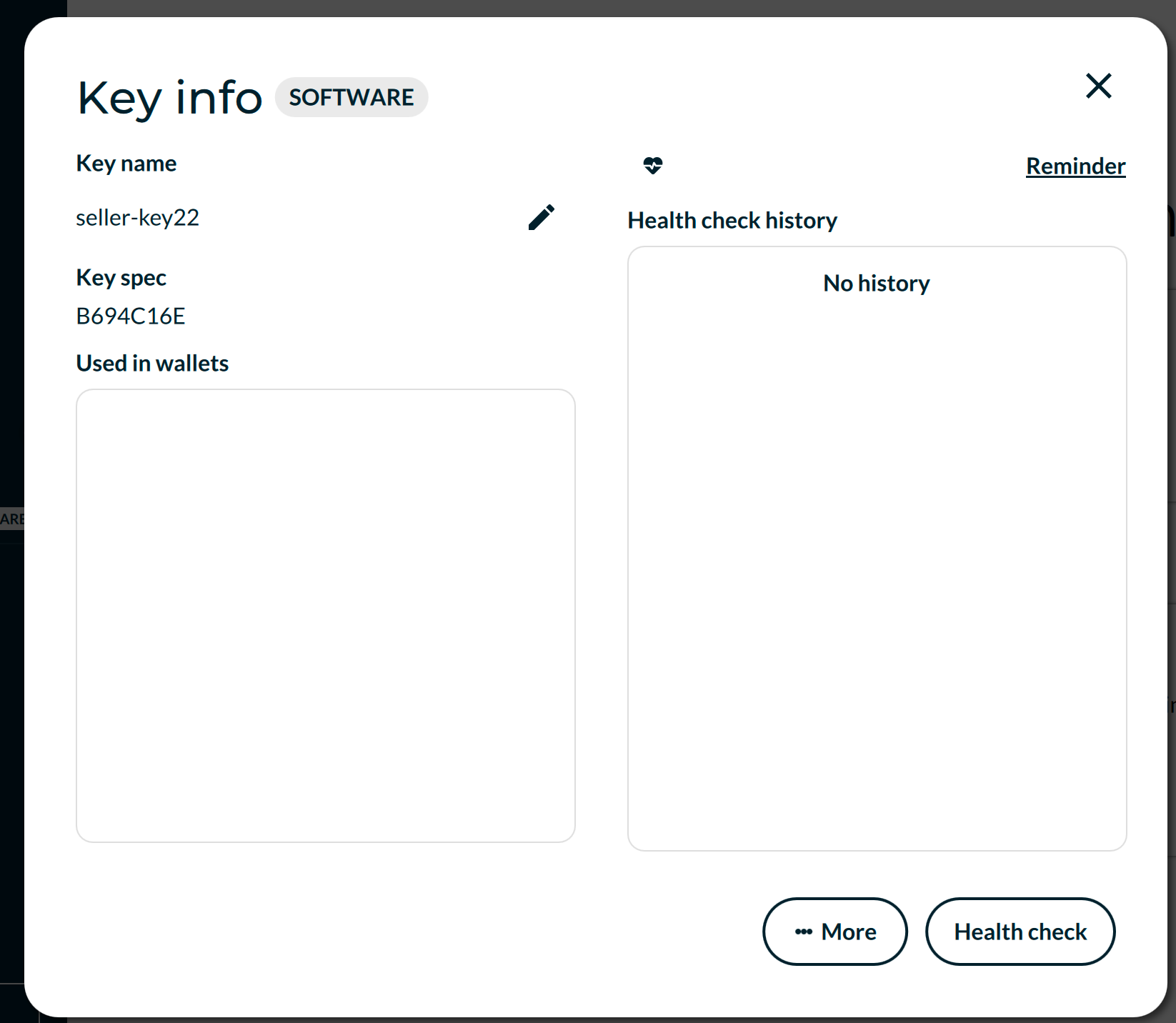

- If they match: the key import was successful. You now control the exact same signing key. In our example, the fingerprint/key spec matches and is b694c16e in both instances (whether it's lower- or uppercase doesn't matter here).
- If they do not match: check that you used the correct seed and no additional passphrase. Any deviation produces a different key.
Step 9: Import the deal wallet
Now that your signing key is ready, import the deal wallet using the backup file from Step 1.
Tap the + button, choose Add Wallet → Recover existing wallet → Recover via BSMS/descriptors.
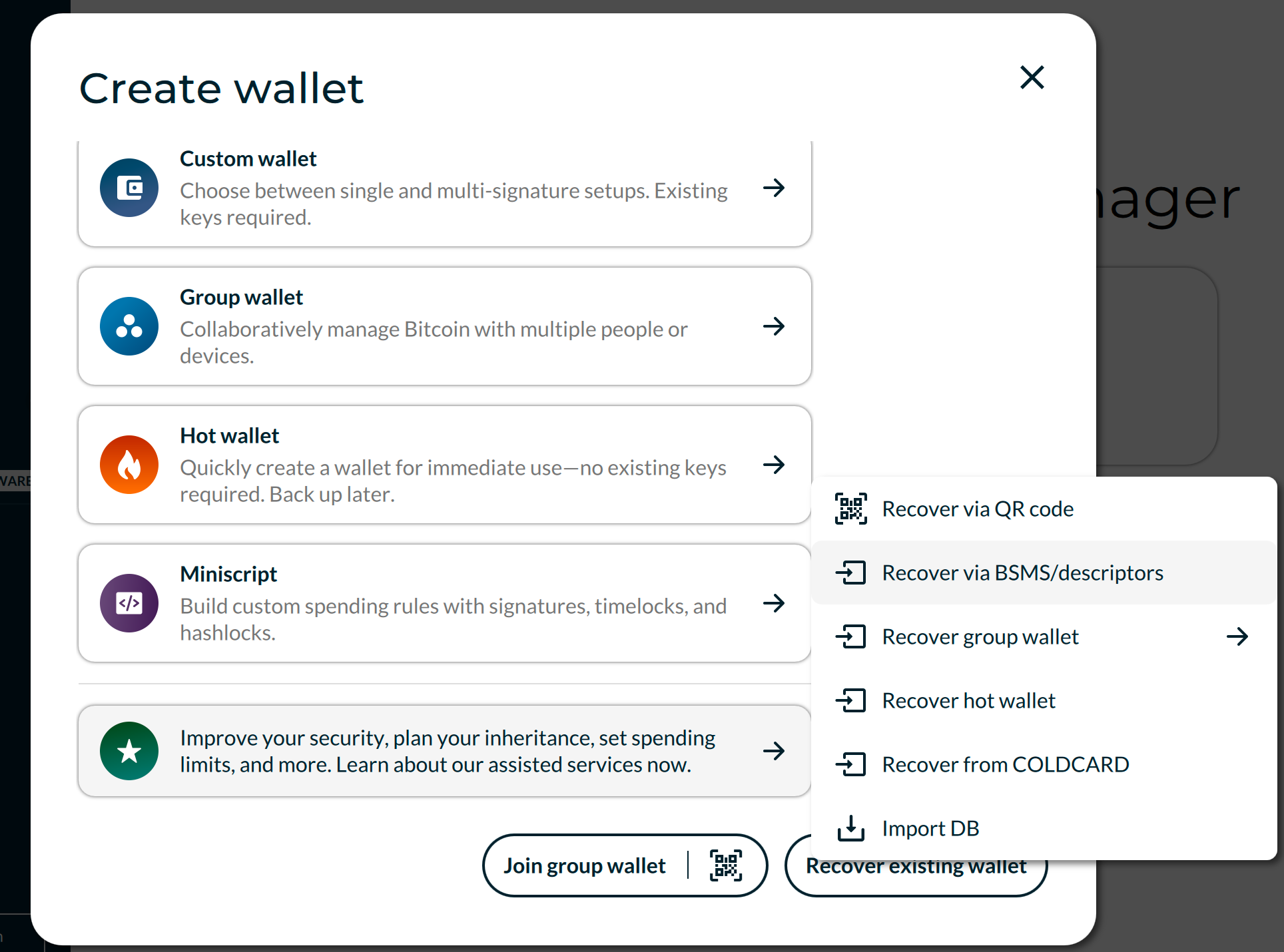
Step 10: Load the backup file
Select the wallet backup file you saved in Step 1. Give the wallet a name (e.g. "Deal #12345") and tap Continue.
You should now see the deal wallet with its current balance and transaction history.
What happes after the import has been successful?
Both sides of the deal must independently complete this process on their own machines.
When both of you can see the same wallet, you can coordinate sending the funds without depending on Tetrapolar:
- One side initiates the transaction in Nunchuk.
- Both sides review the destination and amount — then sign.
- Once both signatures are collected, the transaction is broadcast to the Bitcoin network.
This is identical to how the deal would settle inside Tetrapolar, except the coordination (the transaction building and passing of partially-signed PSBTs) is done by you.
No single party can move funds alone. The wallet is a 2-of-3 multisig, and you each hold one key. You still need each other to sign.
Quick reminders
- Without your seed phrase, your key is gone. The backup file alone is not enough — it describes the wallet, but does not contain your private key.
- Without the backup file, you can still recover if both parties reconstruct the exact same multisig setup (derivation paths, cosigners, and quorum). The backup file simply makes this foolproof.
- This process is for BTC deals only. USDT-on-Liquid wallets use Liquid-specific keys and descriptors, which Nunchuk does not support.